
The “it works, why?” meme shows the two moods of every developer. First: “It doesn’t work… why?” Then, after a change you are not sure about: “It works… why?” Both faces look the same, because both moments come from the same problem: you do not fully understand what your code is doing.
The two halves of the meme
The first half is ordinary debugging. Something fails, you read the error, you form a theory, you test it. Frustrating, but normal.
The second half is the real joke. You change one line, maybe one you thought was unrelated, and the bug disappears. The tests pass. You should feel relief. Instead you feel suspicion, because a fix you cannot explain is a bug you have not found yet.
| Mood | What you say | What it really means |
|---|---|---|
| It doesn’t work | Why? | My model of the code is wrong somewhere |
| It works | Why? | My model of the code is still wrong, but now it is hidden |
Why code works when you don’t know why
Senior developers fear the second “why” more than the first. These are the usual causes behind a fix that makes no sense:
- Timing. A race condition disappears because a log line or a debugger slowed one thread down.
- Caches. The bug was in a stale build, a browser cache or a cached config. Your change forced a rebuild.
- Order of operations. You moved a line and changed when something is initialised.
- Two bugs cancelling out. Your change created a second bug that hides the first one.
- The wrong file. You edited a copy, and the fix came from a restart.
A small example of the timing case in JavaScript. The code below looks fine, but it throws a TypeError, because user is still undefined when the last line runs:
let user;
fetchUser().then(u => { user = u; });
console.log(user.name);
Add an await and it works. If you did not know why, this page is for you: the promise had not resolved yet when the last line ran. Top-level await works in ES modules; anywhere else, put it inside an async function.
const user = await fetchUser();
console.log(user.name);
The professional answer to “it works, why?” is to stop and find out. Revert the change and see if the bug comes back. Write a test that fails without the fix. Talk it through out loud. It feels slower, but it is cheaper than meeting the same bug in production next month.
Where the meme comes from
We could not find a documented origin. The joke has circulated for years in developer communities, often as a pair of identical faces or a two-panel image with the same caption ending in “why?”. It is close to another classic line: “My code doesn’t work and I don’t know why. My code works and I don’t know why.” No author is known for either.
Why it lands with every developer
It is one of the few jokes that works for a first-week bootcamp student and a principal engineer. Juniors live the first half. Seniors have learned to dread the second. Nobody grows out of it.
It also pairs well with other debugging humour. The turn it off and on again fix is the extreme case: it works, and the honest answer to “why” is “some state was wrong, and now it is gone”.
The shirt
Our design puts both moods side by side. It is a safe pick for any programmer, front-end or back-end. More debugging jokes in our developer t-shirts.

It Works, Why? Developer T-Shirt · 24 €
Both moods, same face.
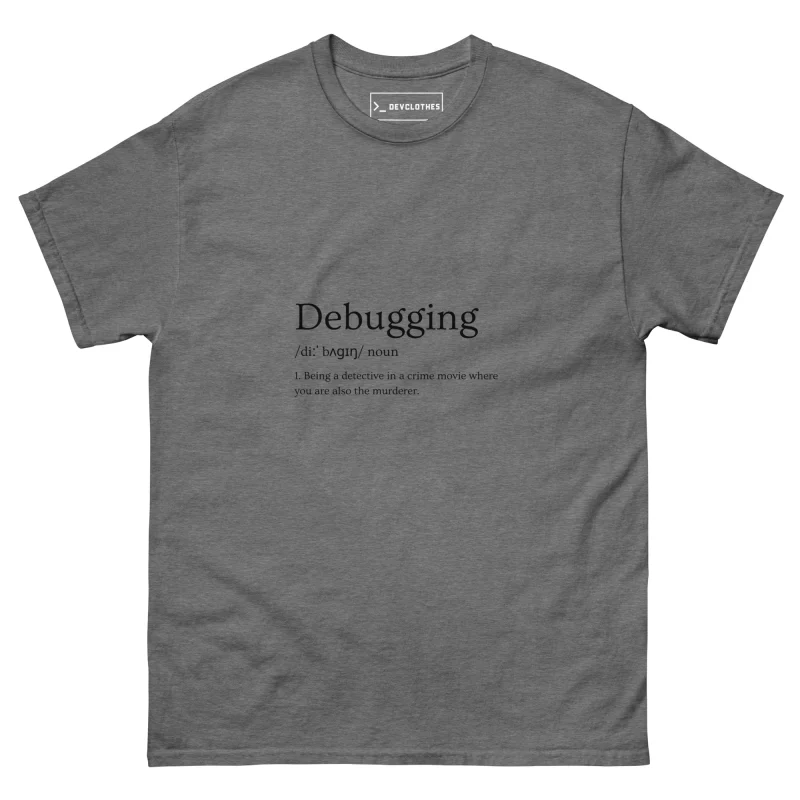
Debugging Definition T-Shirt · 24 €
The detective who is also the murderer.

Quack the Code Rubber Duck T-Shirt · 24 €
Explain it to the duck until you know why.
Unisex fit, S to 5XL, printed on demand. See the size guide or the Christmas gift guide for programmers.
How to answer the second “why”
A short checklist for when the code suddenly works and you do not know why:
- Run
git diffand read every changed line, including the ones you think are irrelevant. - Revert the change. If the bug comes back, the change is the fix. If not, something else changed: a cache, a dependency or the data.
- Clear caches and rebuild from scratch. A clean build often explains a mystery fix.
- Write a test that fails before the fix and passes after it.
- Explain the fix to a colleague, or to a rubber duck. If you cannot explain it, you have not found it.
git bisect helps when the mystery spans many commits. It runs a binary search over history to find the commit where the behaviour changed:
git bisect start
git bisect bad            # current commit is broken
git bisect good v1.4.0    # this release was fine
# test each commit git proposes, then mark it good or bad
git bisect reset
FAQ
What does “it works, why?” mean?
It is a developer joke about fixing a bug without understanding the fix. The confusion after success is the same as the confusion after failure.
Is it bad if my code works and I don’t know why?
It is a warning sign. Find the cause, or write a test that would catch the bug if it returns.
Who created the meme?
No documented author. It is folk humour from developer forums and social media.